9 Must-Know Tips for Using Images in Web Design
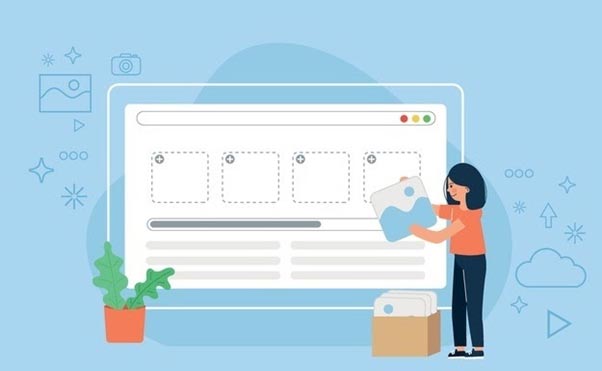
You can have the best-written content on your website, but it’s bound to fail if it does not have good images. Articles with photos get 94% more traffic than those without them. 60% of the consumers consider contacting a business if an image shows up in their search results.
Now that images are essential for a website, it is also crucial that they be placed naturally. Forcing images into your web design can leave a negative impact. The photos should feel like a part of the content and not a separate entity.
Let’s dive in to learn more about the use of images in your web design.
1. Take Original Pictures
Ideally, you should hire a professional photographer to take pictures for your website. Original photos allow you to bring out your creative side and add a unique flavor to the web pages. This practice is particularly beneficial if your products or services are one of a kind or have natural variations.
You must be aware of the process and its intricacies before you decide to hire a professional photographer to take pictures.
- A professional photographer can charge several hundred pounds per day so you will need a decent budget.
- You will have a limited number of pictures taken in one or two days so plan ahead to derive the maximum benefit.
- The pictures will be unique and only available to use on your web pages.
- It may take some time before you get the pictures, so schedule the shoot well ahead of your website launch.
2. Consider Using Stock Photos where Applicable

It is a great idea to make use of stock photos as you will be able to use professional quality images at very reasonable prices. There are a number of reputable websites where you can buy stock images online, our pick of the best include:
For example, suppose you run a travel agency, and you are offering fantastic world tour packages. In that case, it is not possible to hire a photographer at each destination and have them take pictures for you.
Stock photos have lots of benefits and can be the perfect fit for many websites.
- You can buy stock photos ranging from a few cents to as high as £50 or more per picture.
- The images are instantly available for use, and you do not need to wait for them to be processed.
- There are tens of millions of assets available online, which you can choose from. You can always find something that suits your needs.
- You must pay attention to the license of the images since they can restrict the use of the stock images.
- Look to use images that have not been used by your immediate competition or not commonly found on other pages.
3. Have Relatable Images
Your images must be relatable to the subject matter. The photos should not appear disconnected or out of place. Audiences love content that they can relate to, and images can help them with it. There are numerous benefits of relatable photos in your web design.
- Relatable photos emphasize your point
- It makes your content more readable. More images generally are related to longer time spent on the page.
- It can help achieve an emotional connection with the audience. The photos should genuinely be connected to the content.
- Good quality images also show the professionalism associated with the website. It is instrumental if you’re offering any product or service.
4. Crop and Resize Pictures
Before adding the pictures to the website, ensure that they’re appropriately cropped and resized. If you add pictures to your webpage without proper adjustments, images may appear blurred. The photos will most likely be improperly sized, which can be a real pain for the page viewers.
Do make sure that these images appear properly on handheld devices such as tablets and cell phones. A majority of the users go online through these devices and poor image display is a major concern for them.
There are benefits of cropping and resizing images before you add them to your website.
- The website appears professional, leaving a good impression on visitors.
- Poor quality images will likely lead to people leaving the website without paying attention to the actual content.
- It helps preserve the quality of the images with higher resolution.
- Users on handheld devices can also see the images properly.
5. Go for Multiple Images

You should have multiple images on a single webpage to increase the interest of your website visitors. Multiple photos are beneficial for e-commerce websites since this allows a better opportunity for the buyers to see the product and make up their minds.
- You can take images from multiple angles and in varying light conditions to get the best results. It allows your consumer to better judge the product.
- Multiple images help keep the concentration of the audiences, especially in blogs.
- They reduce the reliance on words to get the message across and make it easier to understand.
6. Use Background Images
Use of images as the background of your website, is it a good idea? It indeed has its benefits. Having an image in the background of your page is better than some color from the typical palate. It also feels relatable compared to a plain background.
- The background image should be carefully selected so that it does not overpower the content on the page.
- The photo can also be used to send a message to the viewer. You can use the logo of the site as a background image to reinforce your brand.
- It will take the blandness away from your website, which can help retain audiences for an extended period.
- It also helps the website stand out from the competition.
7. Use More than Just Images
Images are an essential part of your website for several reasons mentioned above. However, you can also benefit from other similar options such as vectors and graphics.
While images help retain the audience, too much of them can leave the audience isn’t a good idea. A typical user has a very short attention span, and while the text can be boring for them, too many images also do not go well.
- They are different yet attractive and can be customized for your particular website.
- You can keep the high resolution on vectors and graphics whole, keeping the file sizes small.
- Resizing vector images without losing quality is very effective compared to regular photos.
8. Optimize your images
There are a few tricks that you can apply to optimize your images. This strategy helps in getting better search engine rankings for your page and also facilitates your audience.
- The image’s filename should be clear and contain one of the keywords to help search engines identify the object in the image. It is also helpful for the viewers.
- Use alt tags for your images. Also referred to as alternative text, this contains information about the image placed in the HTML code. It is beneficial for visually impaired people.
- If you’re using WordPress, you should have a clear title for your image. It serves as an indicator for the search engines and helps with the ranking.
- Caption your images to facilitate your audience. The more information you give about the image, the more they can relate and connect with it.
9. Use the Right Image Types

There are different file types for images, and not all of them are useful for your website. You want file types that maintain quality and are easy to load. 39% of the audience will leave your website if the images are not opening or even opening slow.
JPEG
Joint Photographic Experts Group or JPEG images can be easily compressed, making them suitable for web pages. The compression does not have a major impact on the resolution of the images. The file type is compatible with pretty much all devices and software, which also helps. This format is ideal for high-resolution photos.
PNG
Portable Network Graphics or PNG images are also fantastic for use in a website. They have higher quality and a larger file size as compared to JPG.. This format is ideal for vector images and illustrations. The images can load fairly quickly on the website and do not slow down your web-page speed.
GIF
Graphics Interchange Format, or GIF, are essentially images in a loop. There can be some animation as well though they do not have any sounds. GIFs have small file sizes and can be easily optimized for search engines like other file formats, making them excellent.
GIFs are also a good way of adding a light note to your web pages, keeping the audience feeling fresh. They’re also great for social media pages.
The Bottom Line
Images are an integral part of any web design. For gaining more traction with your audience, you must use them intelligently. There are many techniques that you can employ for this purpose.
The right amount of images, the ideal image sizes, formats that work well, and optimizing images ensure that your website leaves a strong impression on your audience. Apart from improving the web design, these factors also help with the search engines rankings, which is fantastic.
Please spend some time selecting the ideal images associated with your subject matter and publishing them. You wouldn’t regret it!